Coating AOI Vision Inspection System

This system adopts advanced machine vision technology for coating inspection, achieving high-precision image acquisition through an intelligent stitching interface for fixed-point shooting. Combined with HSV color space glue extraction algorithms and custom ROI area detection technology, it identifies and measures glue coating areas. The system supports specific area screening to ensure coating quality meets process standards, effectively improving product yield and production efficiency.

Product Features

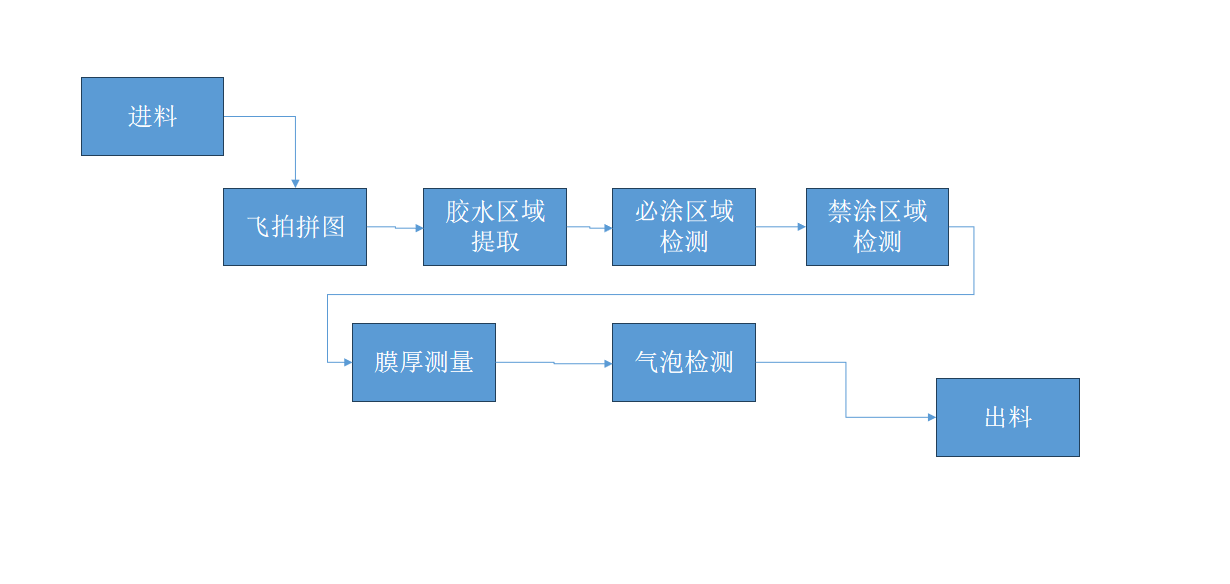
System Workflow

• Product code scanning and entry

• Image acquisition (high-speed/fixed-point)

• Extraction and detection of glue areas and bubbles

• Film thickness measurement

• Material discharge and result processing

Function Introduction

• Glue color extraction

• ROI area selection

• Glue detection and judgment

• Bubble detection

AOI Imaging Inspection Effect Steps

Customer Requirements: Coating inspection must cover appearance integrity, uniformity, no defects, thickness compliance, firm adhesion, environmental resistance, functional insulation, corrosion resistance, heat dissipation, and component purity.

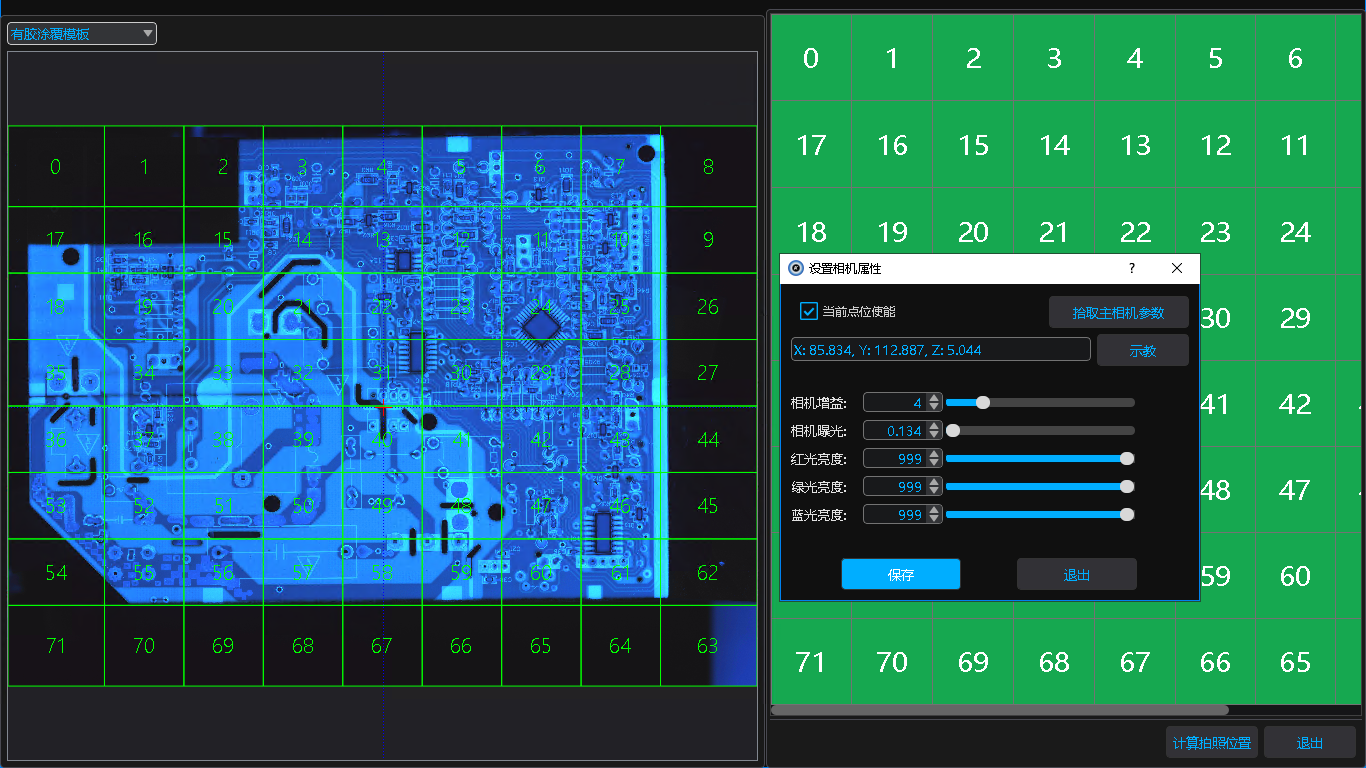
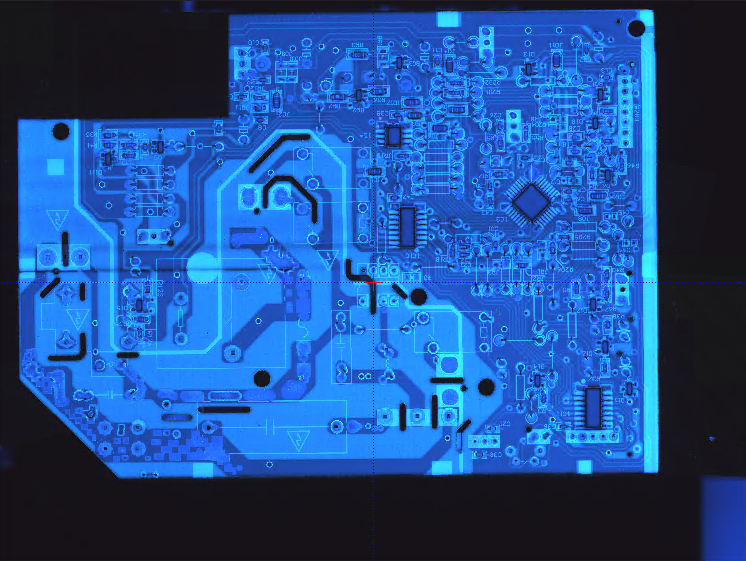
Our Solution: Current imaging setup: Combined light source + telecentric lens + high-speed fly-shooting. Machine speed: 100. 204 images stitched and synthesized in 42 seconds.

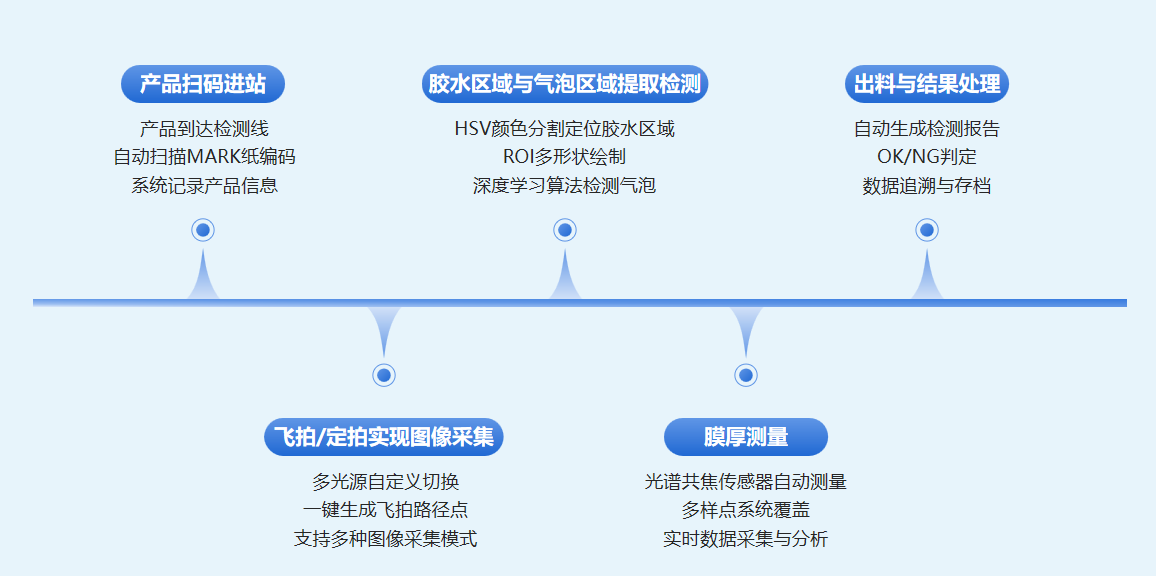
Inspection Process

The system workflow covers fully automated coating inspection and film thickness measurement from material feeding to product discharge. It efficiently collects raw images via fly-shooting or fixed-point stitching; then automatically extracts glue areas, completing precise detection of coated and forbidden zones step by step, while simultaneously performing film thickness and bubble detection. This enables quality control at every stage, improving inspection efficiency and reliability.

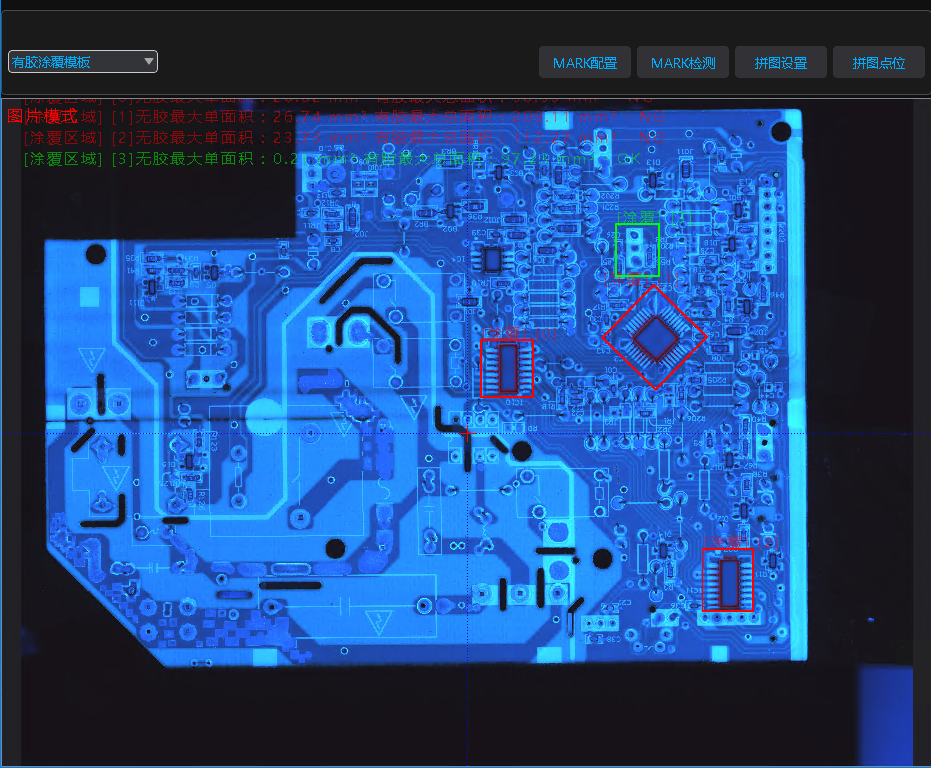
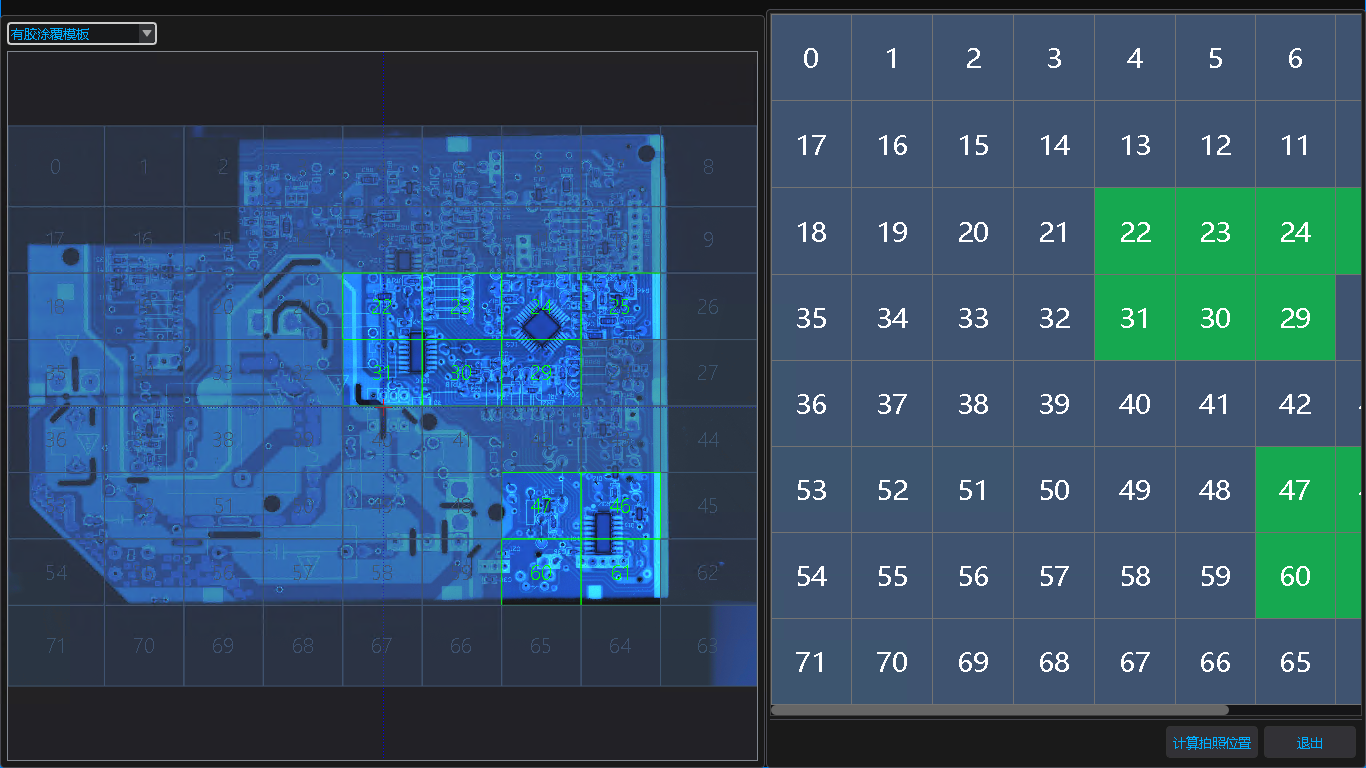
I. Image Stitching Function

  • Supports user-defined multi-light source conditions with flexible switching to achieve optimal imaging effects, meeting the detection needs of different products and greatly improving operational flexibility.
  • One-click fly-shooting path generation can quickly and automatically create shooting paths, simplifying the operation process and enhancing the rationality of shooting trajectories through intelligent optimization.
  • The fly-shooting speed adjustment function allows manual setting of shooting speeds, which can be flexibly adjusted according to process requirements, effectively balancing imaging quality and efficiency.

Fly-Shooting Stitching Display and Fixed-Shooting Path Optimization

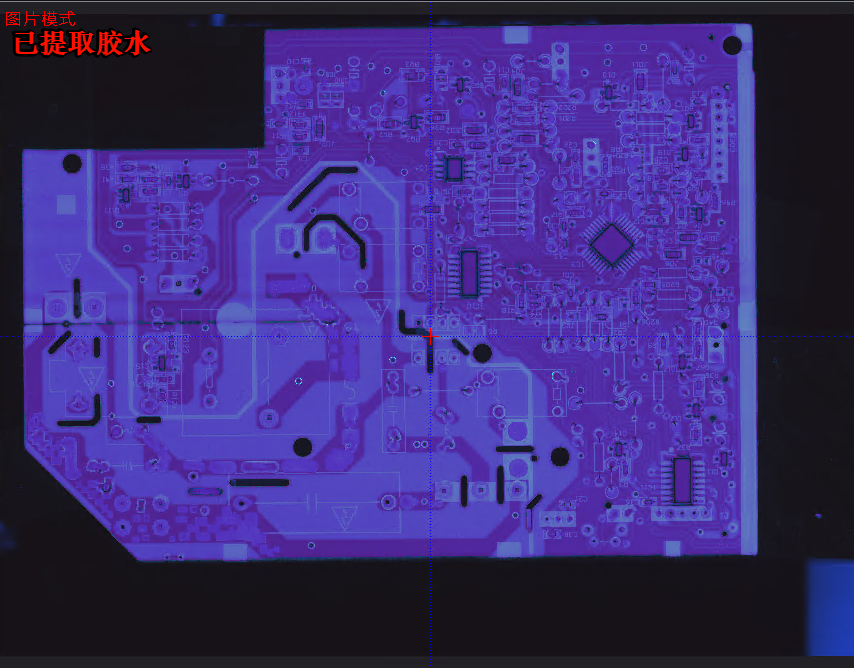
II. Coating Glue Area Extraction

Glue Color Extraction

Intelligently extracts glue colors via HSV color space, enabling high-precision area segmentation. Supports real-time color parameter adjustment to adapt to different process requirements.


ROI区域选定

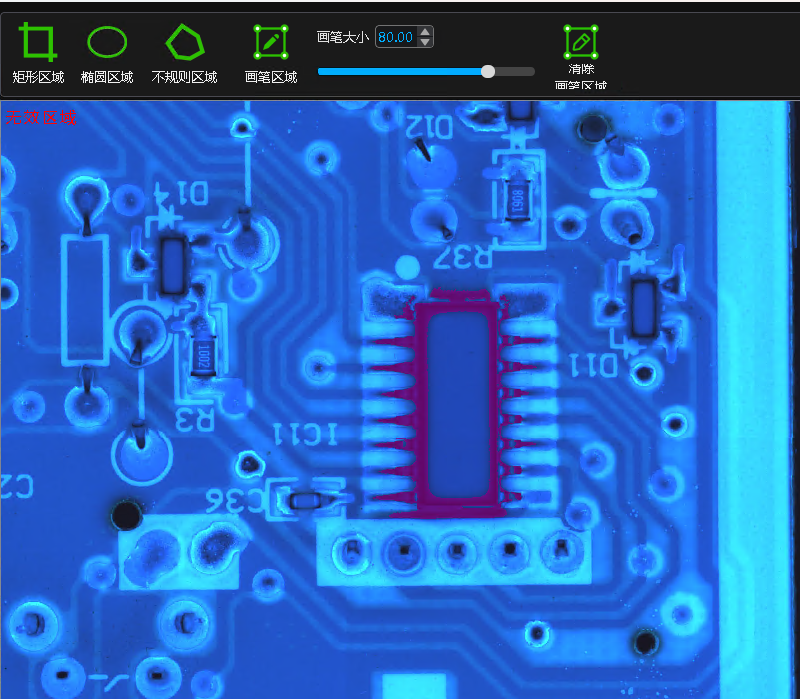
ROI Area Selection

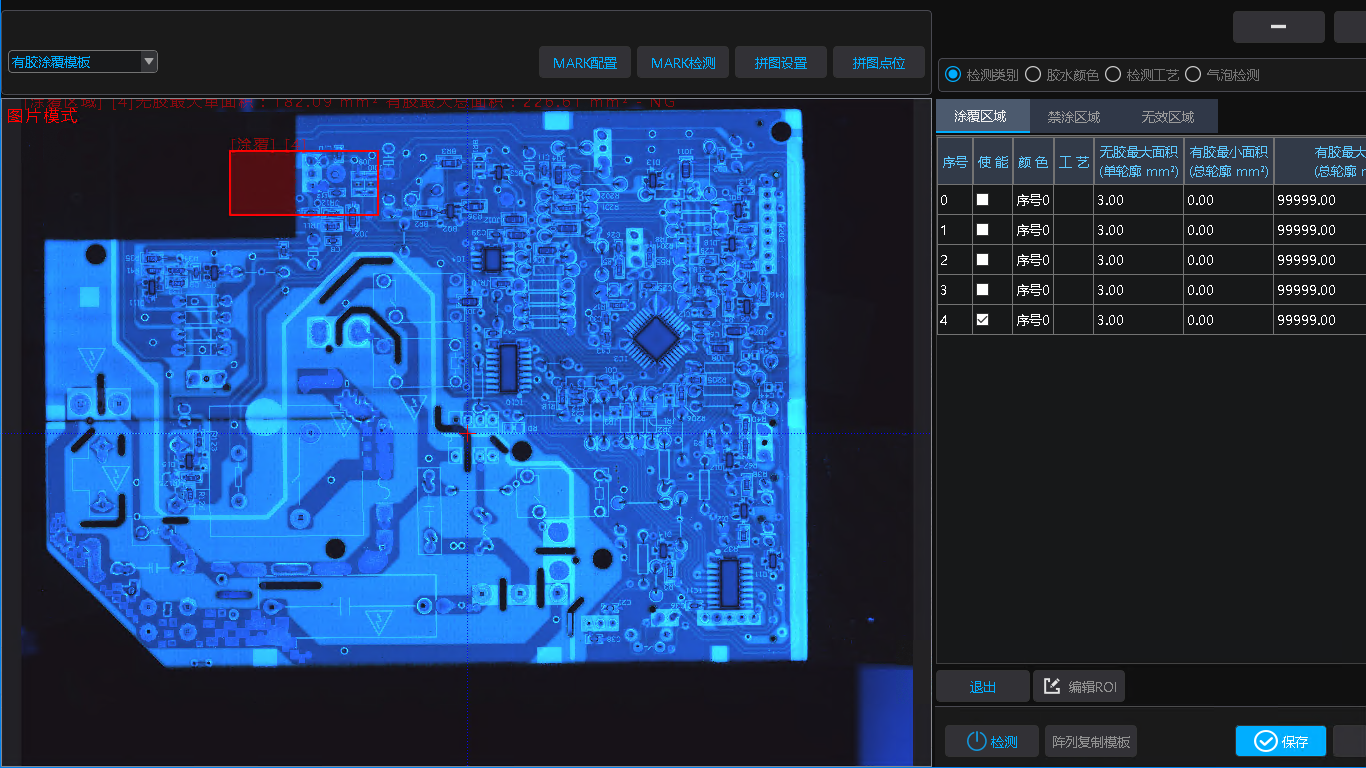
Supports manual drawing of various ROI shapes and independent configuration of detection parameters for zoning management. Provides array replication to boost batch configuration efficiency.


Glue Detection & Judgment

Automatically detects glue area size and other indicators based on glue color, intelligently identifies defects like missing glue, and delivers intuitive results with data guidance.


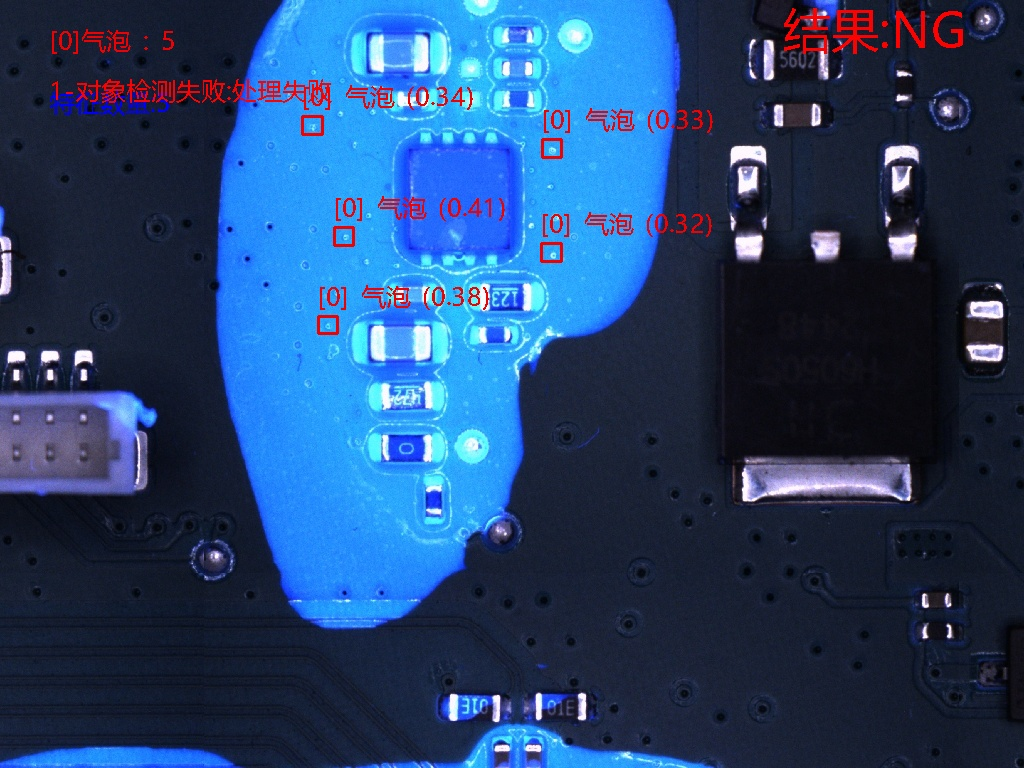
Bubble Detection

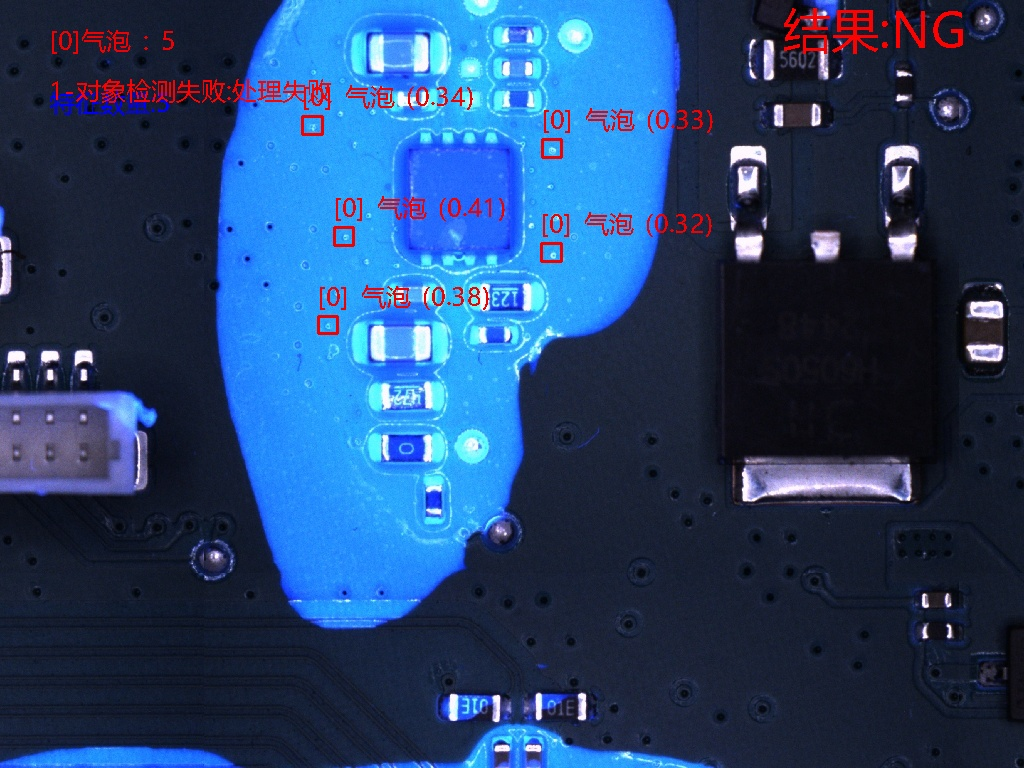
Highly sensitive detection of coating bubble defects, supporting precise identification and localization of diverse bubble morphologies. Works in tandem with glue detection to comprehensively ensure coating quality.


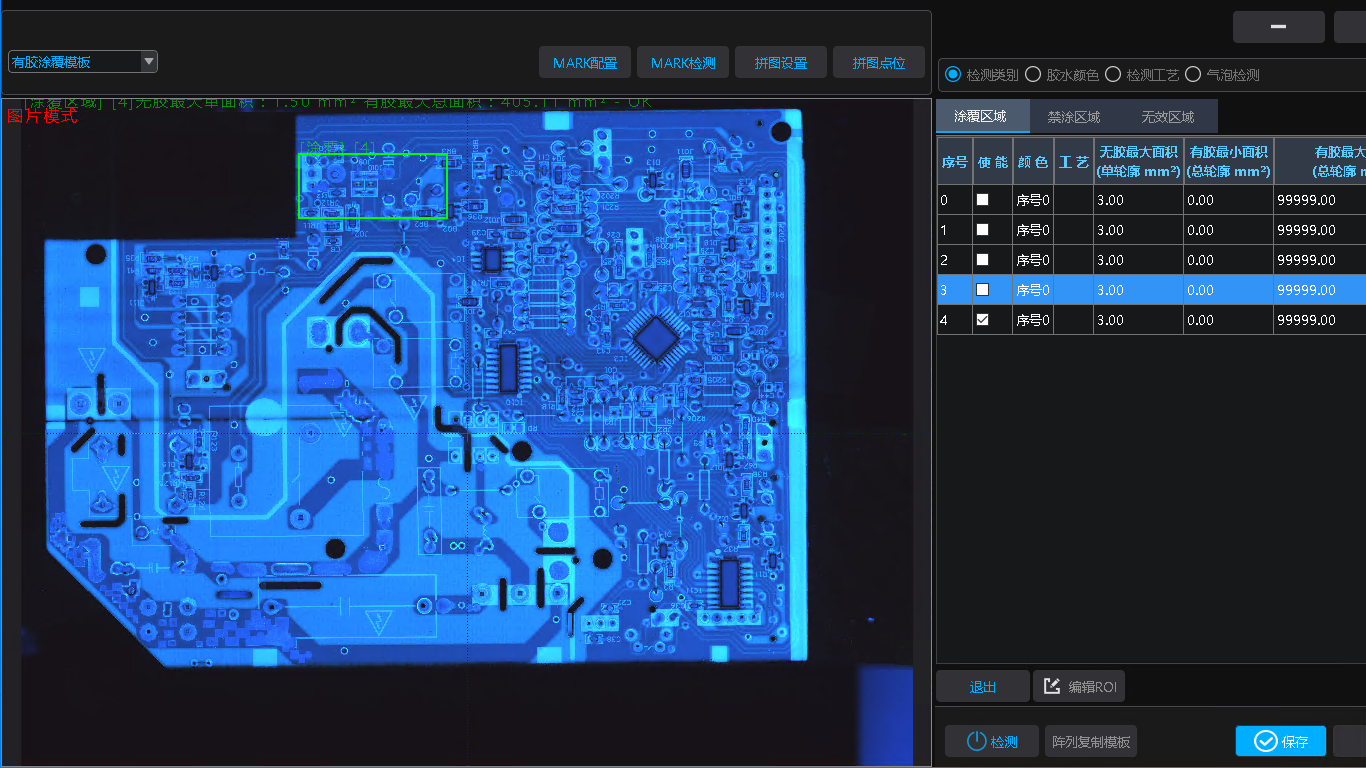
Preview and define coating inspection regions via the coating AOI editing interface, using the following four detection methods.
 

1. Glue Color Extraction

By sampling glue or background colors and employing HSV color extraction algorithms, efficient segmentation and identification of glue areas are achieved.

2. ROI Area Determination

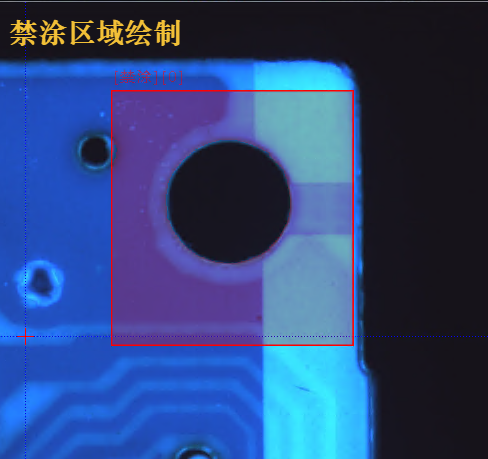
Supports drawing with rectangles, circles, polygons, and freehand brushes, plus one-click invalid region generation to save configuration time.

3. Glue Detection & Judgment

  • Missing glue detection: Single-wheel profile area 12.61mm², total area 25.59mm². Exceeding the threshold is flagged as missing glue, with results recorded and regions marked.
  • Overflow glue detection: Single-wheel profile area 9.09mm², total area 9.48mm². Exceeding the threshold is flagged as overflow glue, with results recorded and regions marked.

4. Glue Detection & Judgment (Bubble Detection)

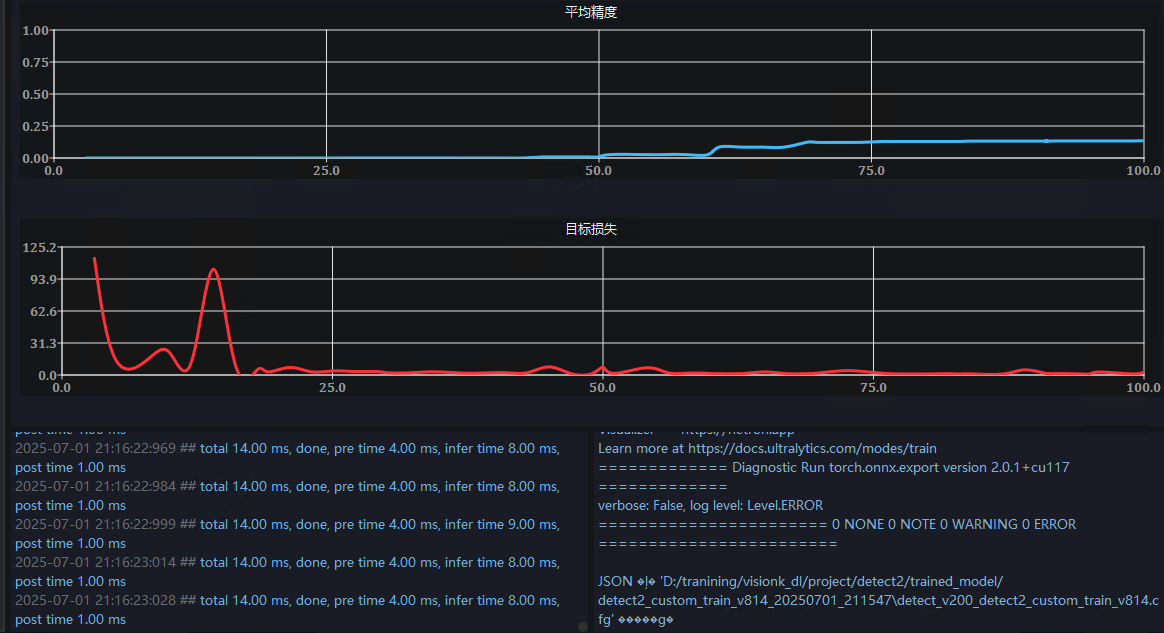
Uses deep learning algorithms to intelligently identify bubbles in glue ROI regions, accurately detecting and marking air bubble defects in dispensed glue.

III. Film Thickness Measurement Function

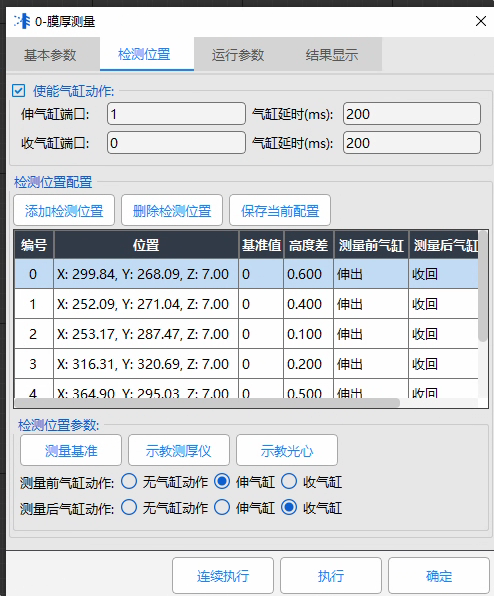
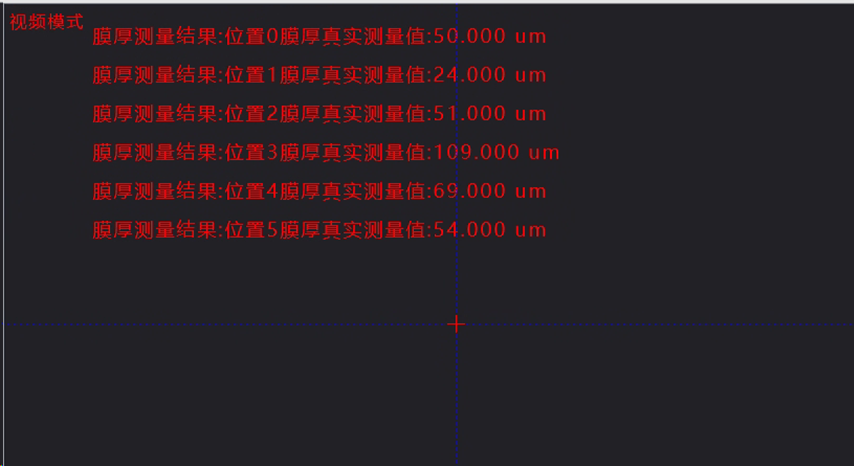
This system’s film thickness measurement uses advanced spectral confocal sensors to achieve high-precision detection of glue coating thickness via precision optical measurement. It accurately measures thicknesses above 30μm, combining intelligent positioning algorithms and custom detection settings for real-time monitoring and analysis of coating quality. The system supports multi-point measurement to ensure compliance with process requirements, improving product consistency and production efficiency.

  1. Arbitrary-point film thickness measurement: Users freely set measurement positions, achieving high-precision glue coating thickness detection based on optical principles to ensure quality compliance.
  2. Custom cylinder extension/retraction before/after measurement: Integrates intelligent cylinder control, allowing custom extension/retraction based on measurement needs for precise sensor positioning and safety protection, enhancing measurement stability.

IV. Result Display & Re-Judgment

This function provides a comprehensive solution for detection data management and quality control, integrating three core features:
  • Comprehensive result display
  • NG manual re-judgment
  • MES data upload & report generation

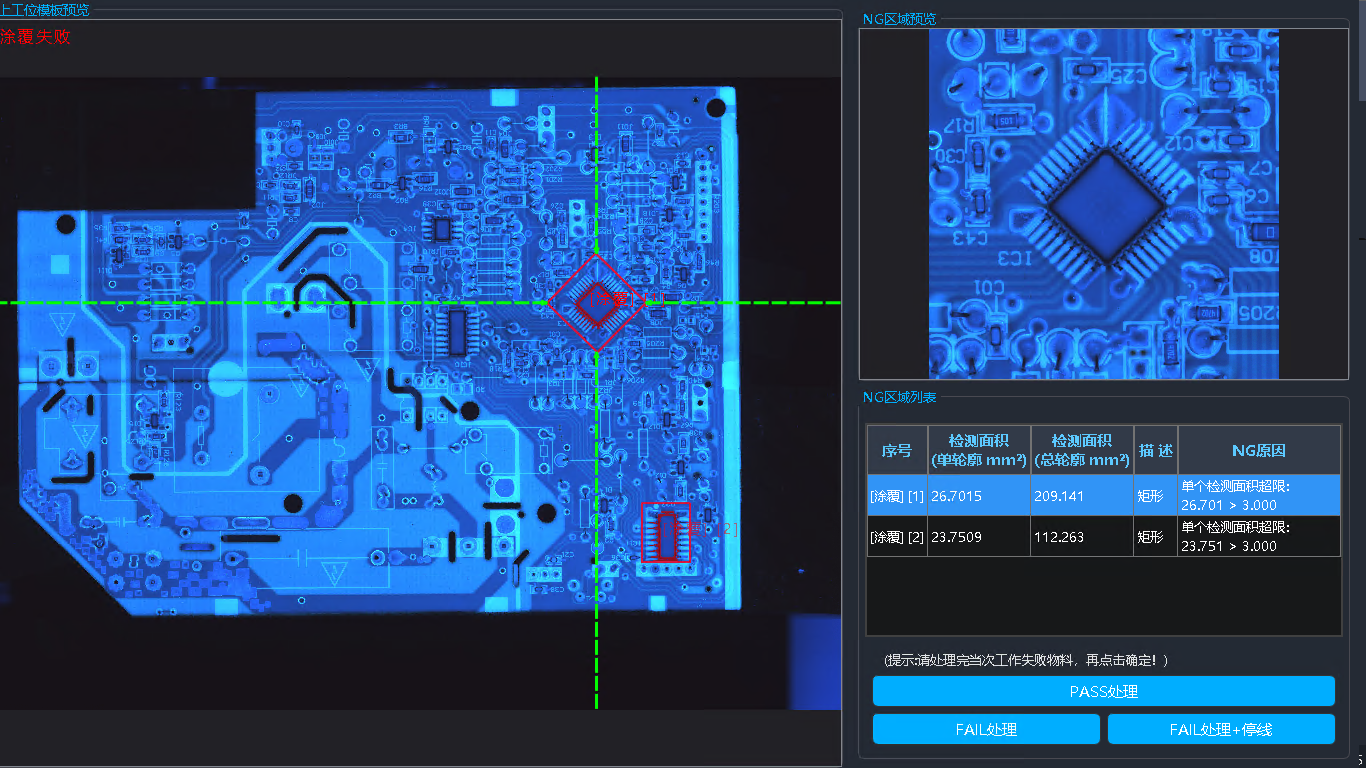
It provides a complete detection result display interface, integrating all data from coating inspection and film thickness measurement. When detection results are NG, manual re-judgment is triggered automatically, supporting secondary judgment of NG items to analyze root causes and adjust process parameters. It also supports automatic detection data upload to MES systems and local ReportFile generation for real-time data traceability and quality control.

  1. Process Result Display: Integrates all data from coating inspection and film thickness measurement, including key information such as detection positions, measurement values, and pass/fail status, providing users with an intuitive and clear data analysis view.
  2. NG Manual Re-Judgment Pop-up: When detection results are NG, a manual re-judgment window pops up automatically, allowing operators to perform a secondary judgment on NG points. This helps users adjust process parameters in a timely manner to optimize production quality.
  3. MES Upload & Report Generation: Detection data is automatically uploaded to the MES system, while local Report files are generated. This enables real-time synchronization and traceability of production data, meeting quality management and audit requirements.
  • Automatic NG Detail Display: Automatically shows all NG items from coating and film thickness inspection, with each item independently expandable to reveal NG causes for precise root-cause analysis.
  • Detailed Re-Judgment: Supports clicking NG items to zoom in, highlighting defect locations and details for easy manual localization.
  • Fast Manual Review & Processing: Enables quick navigation between items via hotkeys, streamlining manual re-judgment and improving efficiency.

Application Case: Inspection Effect

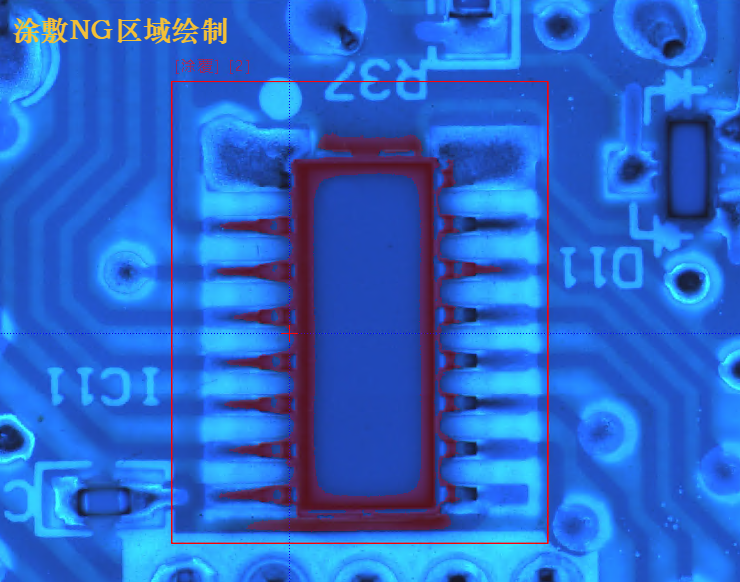
Glue Mandatory Area Detection: Mandatory areas are defined using combinations of rectangles, circles, and broken lines. If glue is missing or thickness is below 30μm in these areas, the result is flagged as NG. Missing glue regions are highlighted in prominent red.
 

Glue No-Apply Area Detection: The no-apply area is determined through a combination of rectangles, circles, multiple broken lines, etc. As long as there is glue in the no-apply area, an alert will be triggered. Glue in the no-apply area will be displayed in a prominent red color and the actual area will be shown.

视开智能

你好,欢迎来到视开,我们将24小时内回复你。

2026-04-02 21:32:21

您好,有任何疑问请与我们联系!

您的工单我们已经收到,我们将会尽快跟您联系!
取消
选择聊天工具: